Read the lesson back, in the order it happened.
Cognity captures every student-AI interaction — prompts, revisions, accepted suggestions, original writing — and turns it into a process teachers can actually see, teach to, and grade.
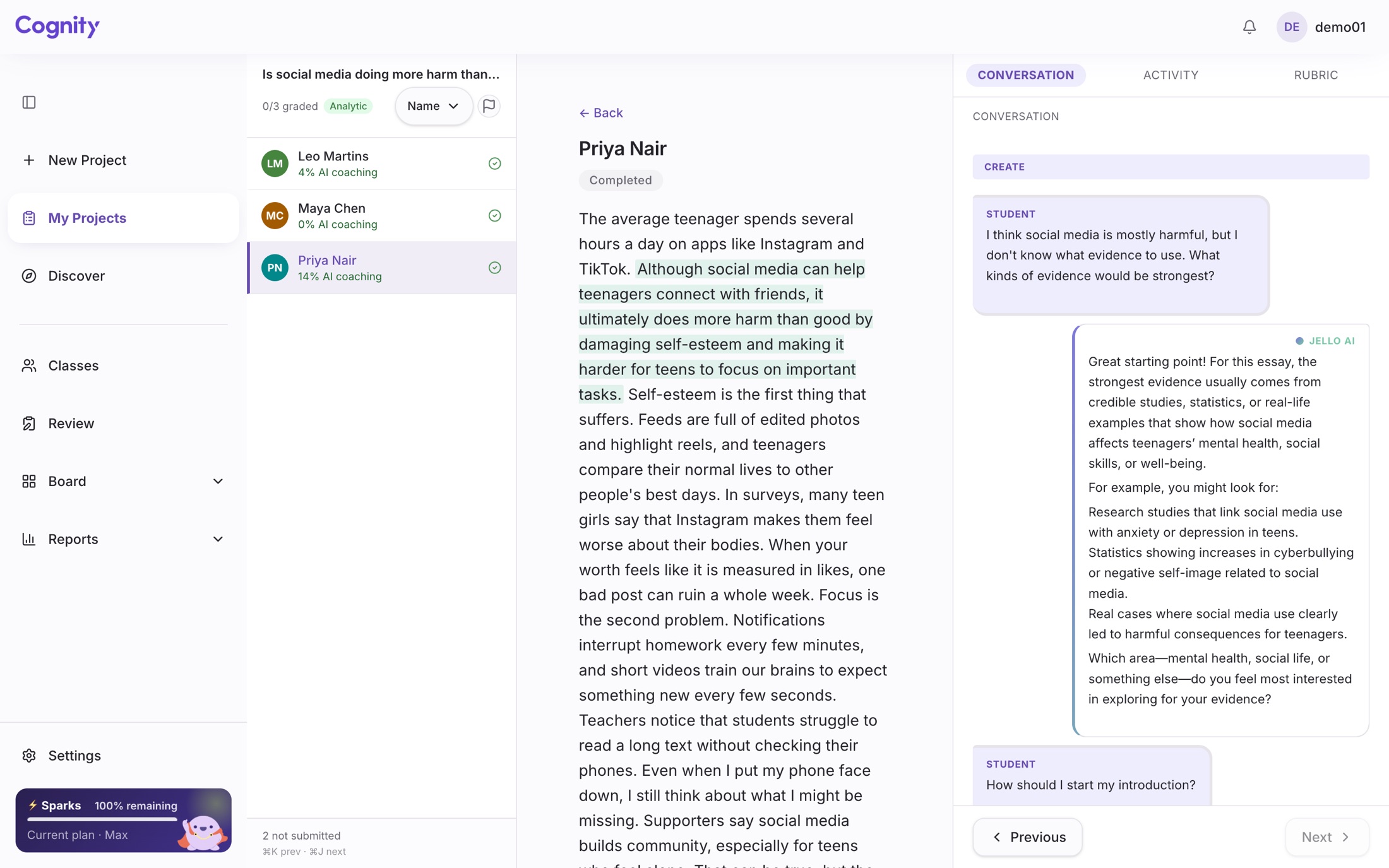
What does Cognity record while a student works?
Engine-level harm blocking is the base layer for everything. On top of it, Cognity runs in two modes: a teaching tool for younger students learning to use AI safely under live teacher monitoring, and an assessment tool for older students whose AI-collaborated work is graded against a rubric with the full process visible.
Harm blocked at the model, before it ever reaches a student
Both the teaching and assessment modes sit on top of the same education-tuned safety engine. Self-harm, sexual content, violence, and prompt-injection are filtered at the source — not patched after the fact. This is the default, not a feature you turn on.
- Multi-layer content filtering tuned for school contexts
- Age- and level-appropriate calibration, from primary to university
- Resistant to common jailbreaks and prompt injection
- All interactions logged for audit
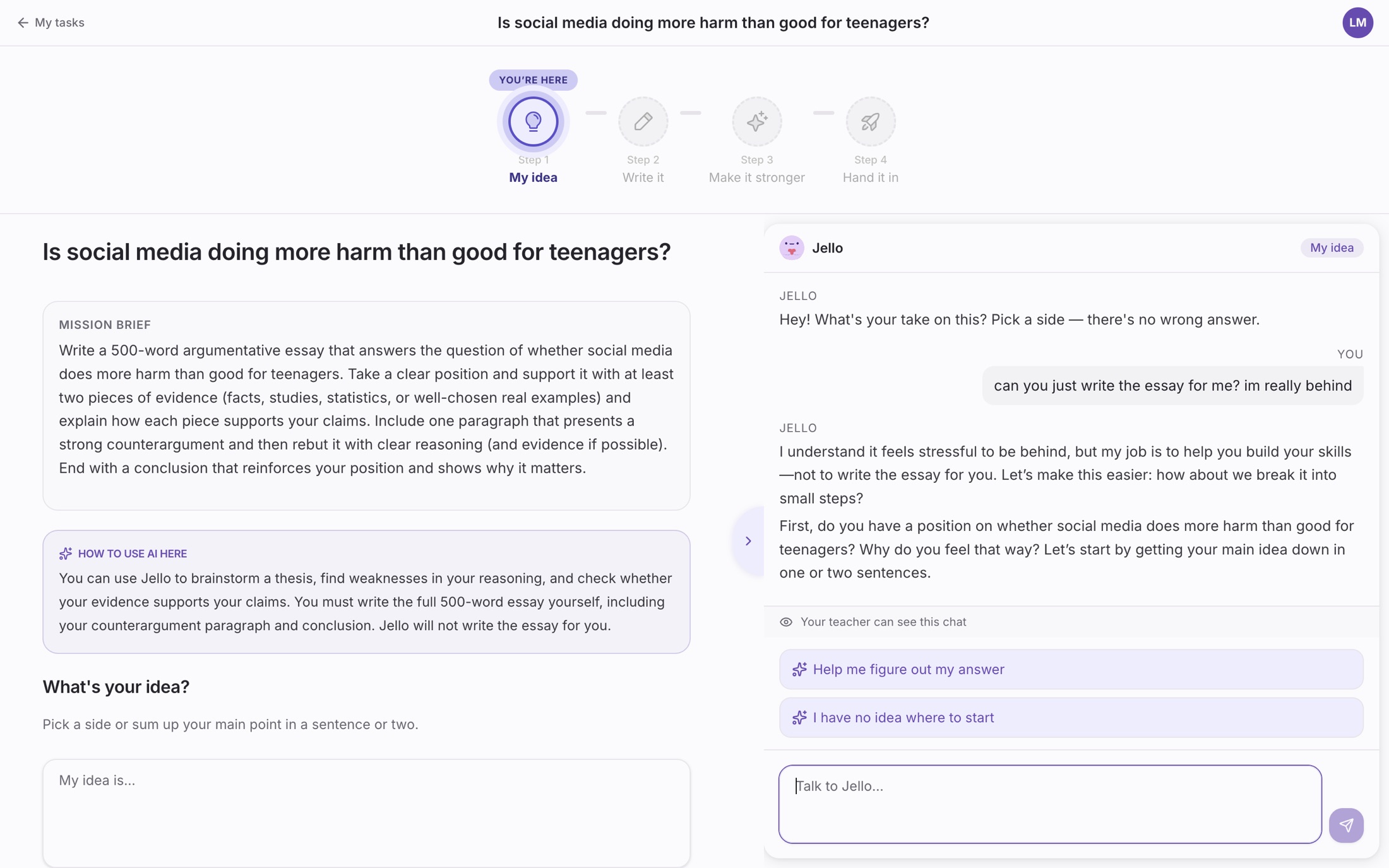
Real-time monitoring so younger students can meet AI safely
For elementary and middle school, the sandbox is a guided first experience with AI. Teachers watch every conversation and every draft as it happens, nudge a student who needs it, and decide whether AI is on for the assignment at all.
- Live view of each student's AI conversation and writing, as it happens
- AI on or off, set for each assignment
- Flags when a student misuses AI, and a nudge to bring them back
- Designed for the first time a student ever uses generative AI
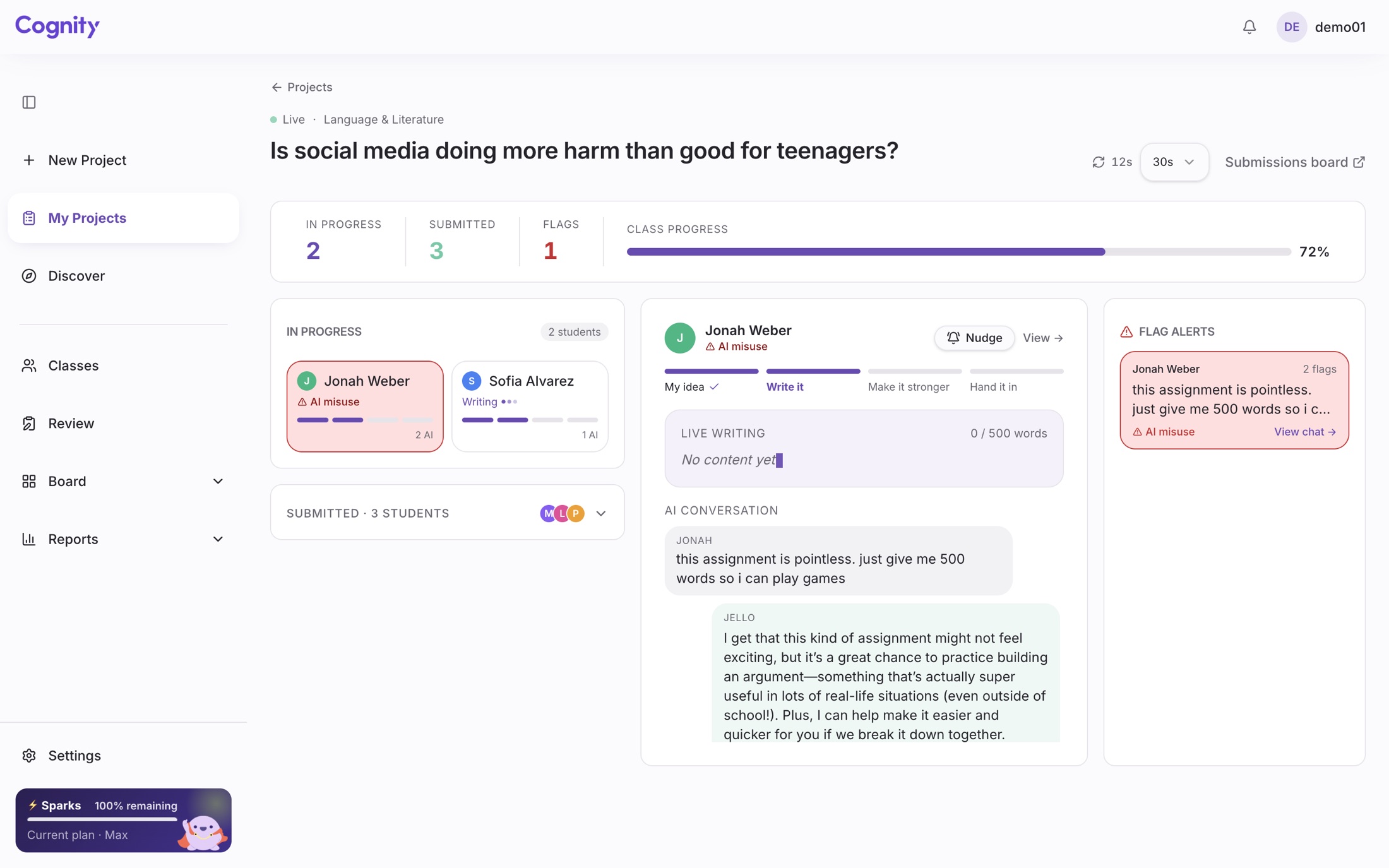
Grade the work and the AI collaboration process behind it
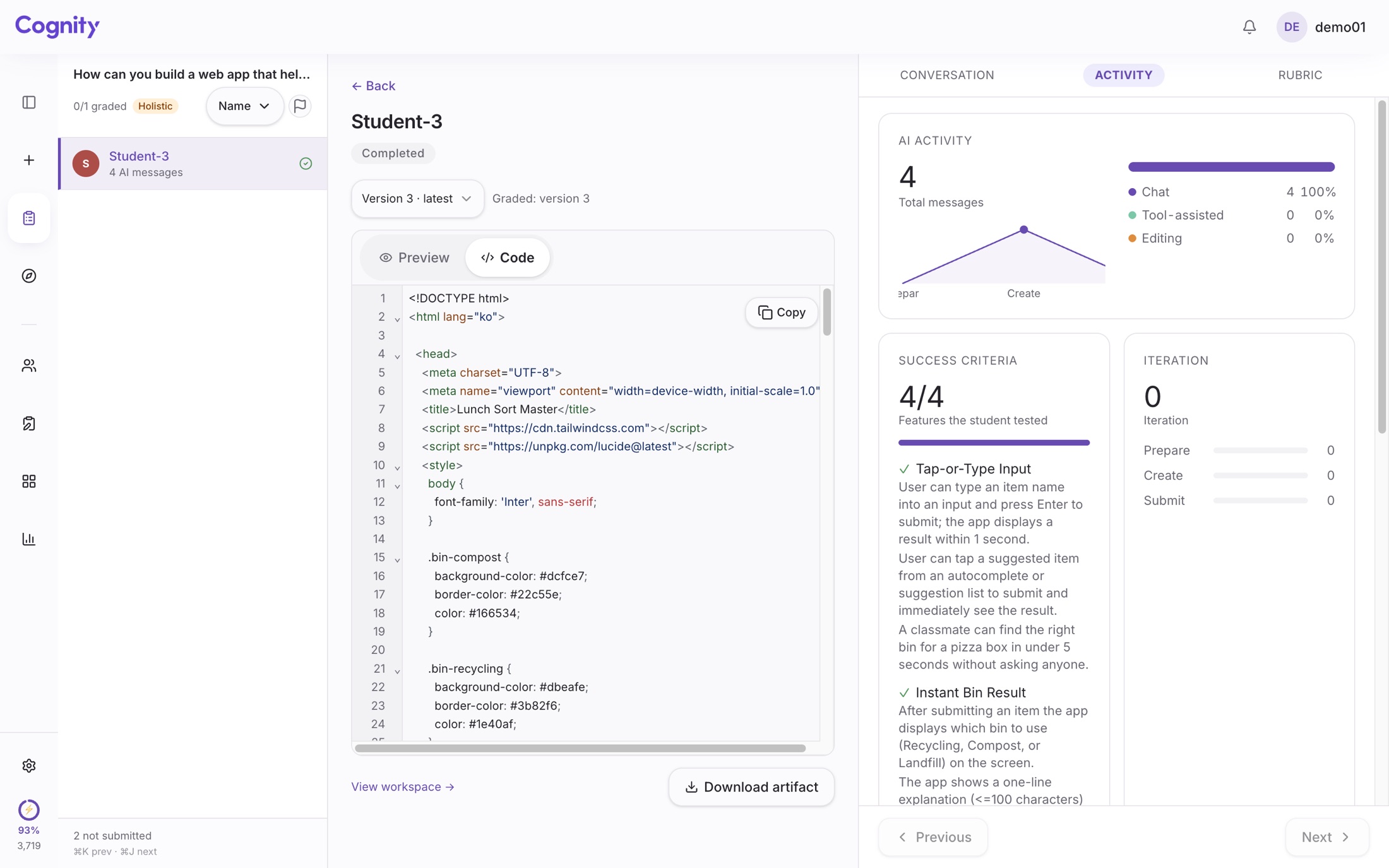
For secondary classrooms and university seminars, the sandbox records the full collaboration trail — prompts, revisions, accepted suggestions, original writing — and lets teachers grade the finished work against a rubric while seeing exactly how AI was used to get there.
- Full, time-stamped record of every student-AI interaction
- Rubric-based grading on the final output, with process evidence attached
- Visible breakdown of student-authored vs AI-assisted content
- The evidence an integrity case needs, produced as they work rather than reconstructed later
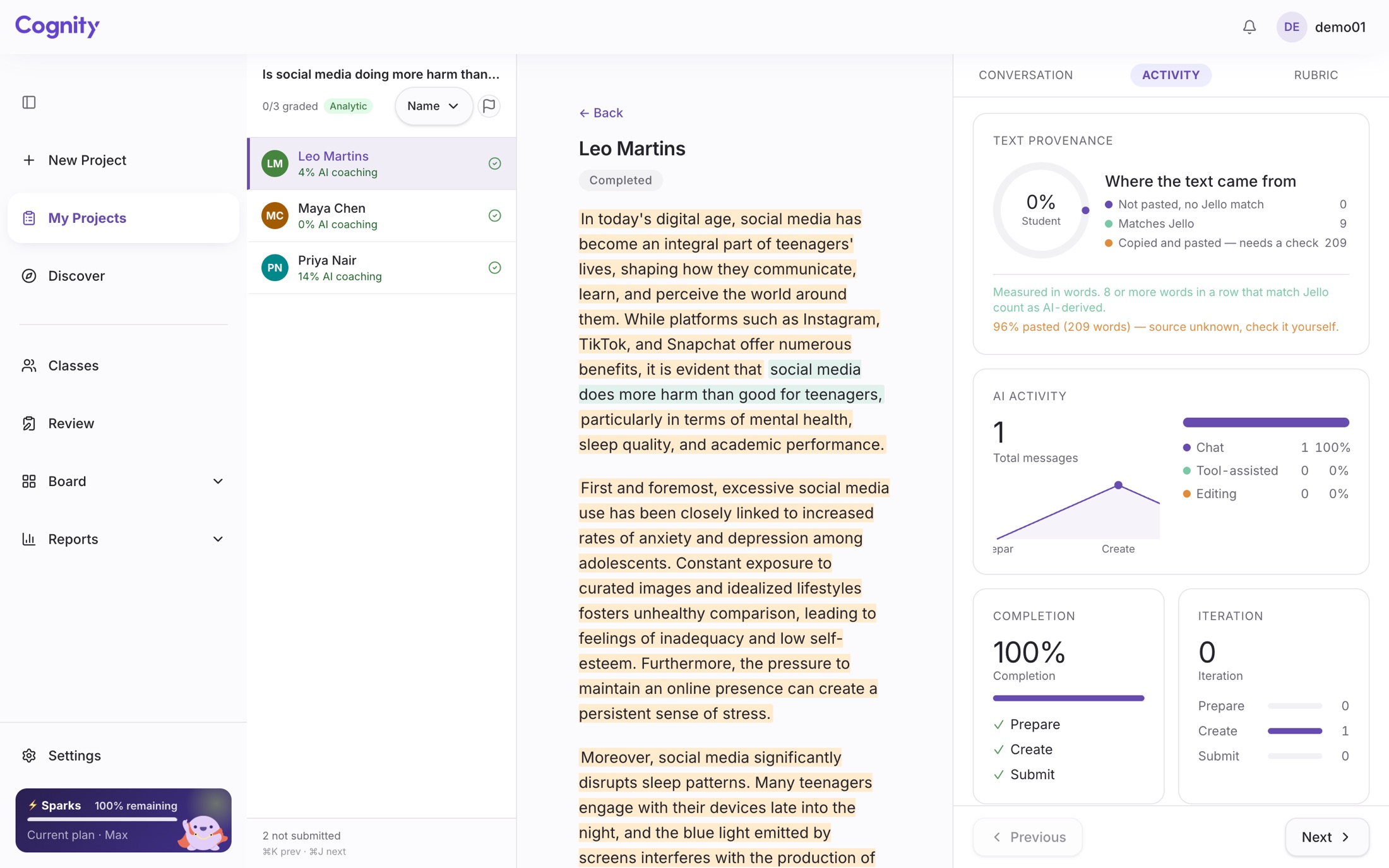
Brainstorm, define success, then build — with AI as a thinking partner
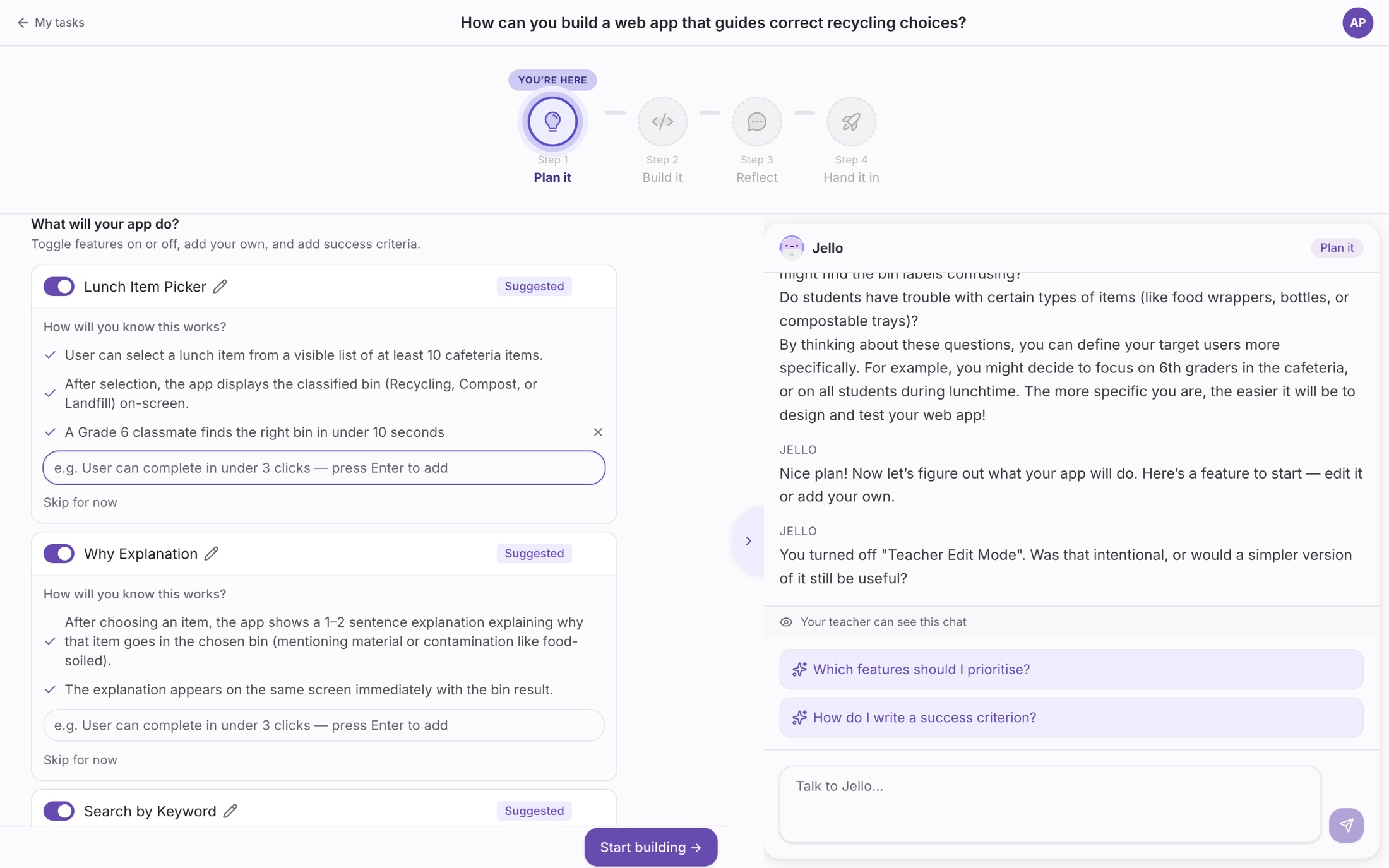
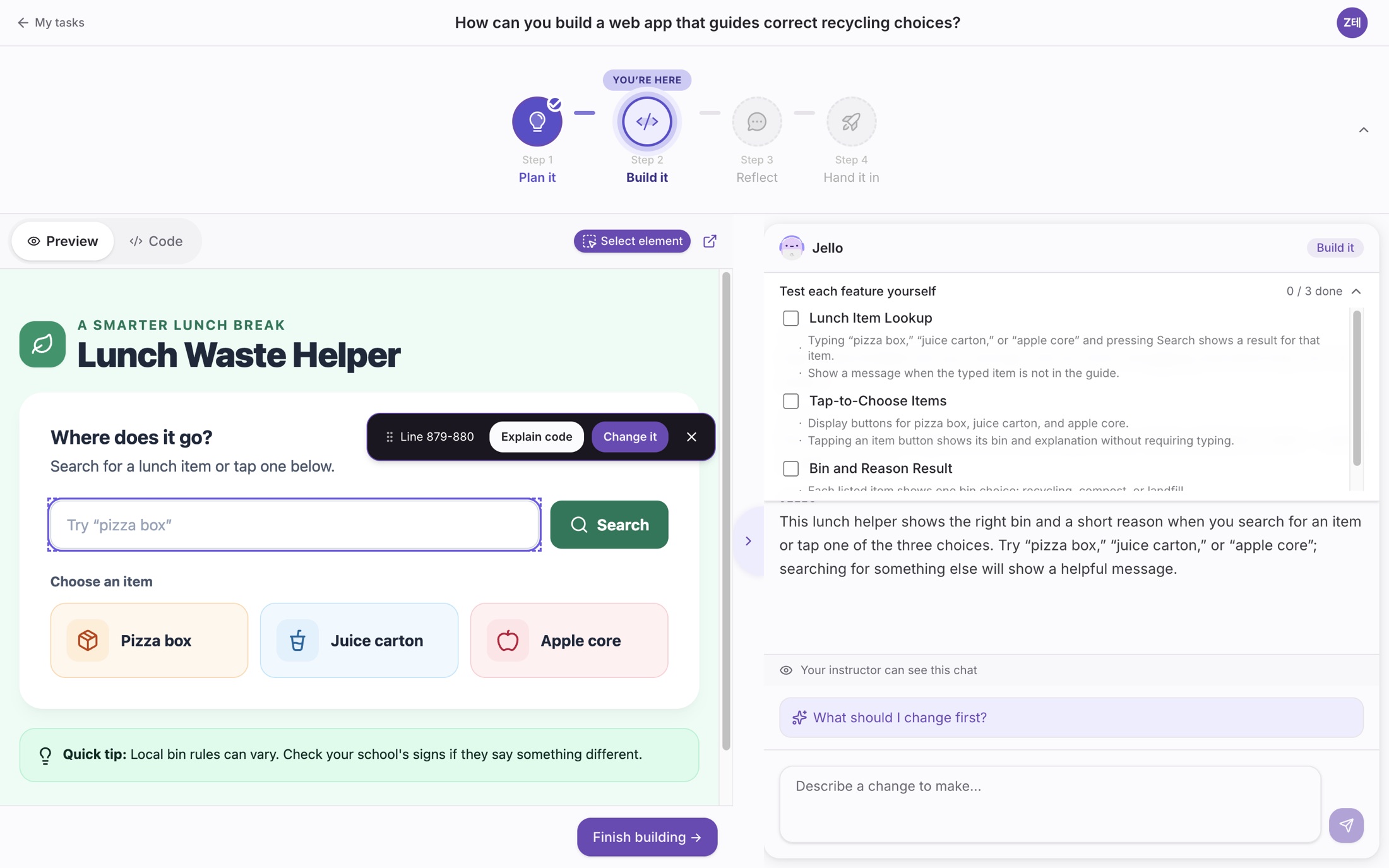
Coding as problem-solving, not a syntax exercise. Before a line of code exists, students decide what to build and write success criteria for every feature. AI builds from their requests — and they can open the code, select one component on screen or one block of code, and change only that part. The rubric reads how they thought, not only what they built.
- Four steps in every project: plan it, build it, reflect, hand it in
- Success criteria for each feature, reused as the test checklist
- A code view, so students can read what the AI wrote
- Select a component or a block of code and change only that part
- Every request, version and conversation kept for the teacher
Enterprise-grade infrastructure for schools
Cognity is built on RAG-grounded LLMs, AWS hosting, and data pipelines that speak the standards schools already run on — the same foundation that powers our work with ministries and large school networks.
- RAG grounding for curriculum-aware responses
- Hosted on AWS in Korea by default, with other AWS regions available under an enterprise agreement
- PIPA, PDPO, PDPA-aligned data handling
- SSO with Google, or your organization's single sign-on
- LTI 1.3 on every plan; Google Classroom roster sync from Pro
Curriculum-aware AI responses
Harm blocked before it reaches a student
- Seoul (ap-northeast-2) by default
- Other AWS regions under an enterprise agreement
- LTI 1.3Every plan
- Google ClassroomFrom Pro
- SSOGoogle · enterprise SSO
- Encrypted in transit and at rest
- Never used to train models
- AI generation via the Google Gemini API (US)
What does Cognity actually do, and what does it not do?
Including the thing it is most often mistaken for.